WiFi Menu restaurant POS application
The world's first parking-order POS experience

WiFi Menu Order from Parking

A complete restaurant POS that lets customers connect to the restaurant WiFi, browse the menu and place an order directly from their parked car. The order reaches the POS and kitchen with the car plate and color attached.

Offline-first Hybrid cloud English and Arabic Multi-branch

Parking orders built into the POS

WiFi Menu turns the restaurant parking area into a direct ordering channel.

1. ConnectCustomer joins restaurant WiFi.
2. OrderMenu opens on the customer phone.
3. DeliverKitchen receives plate and car color.

One system, every platform

Restaurants can run WiFi Menu from the device that suits each role.

Windows
macOS
Android
iOS
Web App

Complete restaurant operations

Ordering, service, kitchen, stock, accounts and administration work together in one system.

WiFi Menu Parking Sales

  • Customer ordering without an app
  • Restaurant WiFi captive portal
  • Car plate and car color identification
  • Table number ordering
  • Orders flow directly to POS and kitchen
  • Arabic and English customer menu
  • Customer notes and item options

POS & Sales

  • Quick, table and drive-thru sales
  • WiFi Menu, staff and online sales
  • Cash, card and split payments
  • Paid, unpaid and partial balances
  • Refund and cancellation handling
  • Multiple cash counters
  • Dual-screen customer display

Menu Management

  • English and Arabic names
  • Descriptions, images and categories
  • Sizes, modifiers and open pricing
  • Day and time availability
  • Channel visibility controls
  • Multiple rider-specific prices
  • Temporary item disabling

Kitchen Operations

  • Kitchen display dashboard
  • English and Arabic switch
  • Audible and visual order alerts
  • Preparing, ready and completed status
  • Customer notes visible in kitchen
  • Kitchen ticket printing
  • Car, table and sales-type identity

Inventory & Purchasing

  • Ingredient and stock management
  • Recipe stock deduction
  • Stock movement history
  • Purchases and suppliers
  • Supplier payable tracking
  • Waste recording
  • Branch-specific inventory

Accounts & Reports

  • Sales and payment reports
  • Cash, card and expense tracking
  • VAT and tax reporting
  • Profit and loss structure
  • Payables and receivables
  • Stock and waste reports
  • Branch and business performance

Cash Management

  • Opening cash float
  • Cash counter assignment
  • Cash drawer configuration
  • Cash drops and payouts
  • Multiple drawers and counters
  • Cashier identification
  • Cash movement records

Printing

  • Customer and kitchen receipts
  • English and Arabic labels
  • Restaurant, branch and counter details
  • Table, car plate and color
  • Configurable receipt fields
  • 80 mm thermal layout
  • Test and backup printer support

Multi-Branch

  • Multiple branches per restaurant
  • One-time branch activation codes
  • Branch counters and locations
  • Branch menus, stock and reports
  • Restaurant data isolation
  • Branch data isolation
  • Owner access across branches

Users & Security

  • Admin PIN and user accounts
  • Role-based permissions
  • Device activation protection
  • Restaurant block and expiry control
  • Activation and PIN reset
  • Admin restaurant search
  • Support diagnostics

Data & Cloud

  • SQLite native local database
  • IndexedDB Web storage
  • Offline-first operation
  • Firestore cloud mirror
  • Offline synchronization queue
  • Backup export and import
  • Cross-device cloud loading

Delivery Integration

  • Delivery sales channel
  • Webhook and API structure
  • Delivery order ingestion
  • Multiple provider configuration
  • Provider-specific menu prices
  • External rider item IDs
  • Credentials and endpoint settings

NFC Payments

  • Provider and SDK configuration
  • Merchant and terminal IDs
  • Test and production environments
  • Tap-to-pay configuration
  • Callback and timeout settings
  • Refund and void options
  • Print after approval

Tax & E-Invoicing

  • Country-specific tax profiles
  • VAT and municipality rules
  • Invoice UUID and sequence
  • Invoice hash chaining
  • Immutable finalized invoices
  • Credit-note foundation
  • Offline submission queue

GCC Architecture

  • Saudi ZATCA structure
  • Oman Fawtara structure
  • UAE EIS structure
  • Canonical invoice model
  • Provider connector settings
  • XML and QR payload pipeline
  • Authority response storage

Updates

  • Visible application version
  • Central version configuration
  • Minimum supported version
  • Optional and forced update modes
  • Windows and macOS downloads
  • Google Play update path
  • Web deployment updates

Language & Branding

  • English and Arabic interfaces
  • Right-to-left Arabic layouts
  • Cairo Arabic font
  • Bilingual menu content
  • Bilingual kitchen display
  • Bilingual receipt labels
  • Restaurant-specific identity

Subscription & Admin

  • Restaurant registration
  • Owner account creation
  • Annual subscription control
  • Custom expiry dates
  • Payment statements
  • Branch activation management
  • WiFi Menu access control
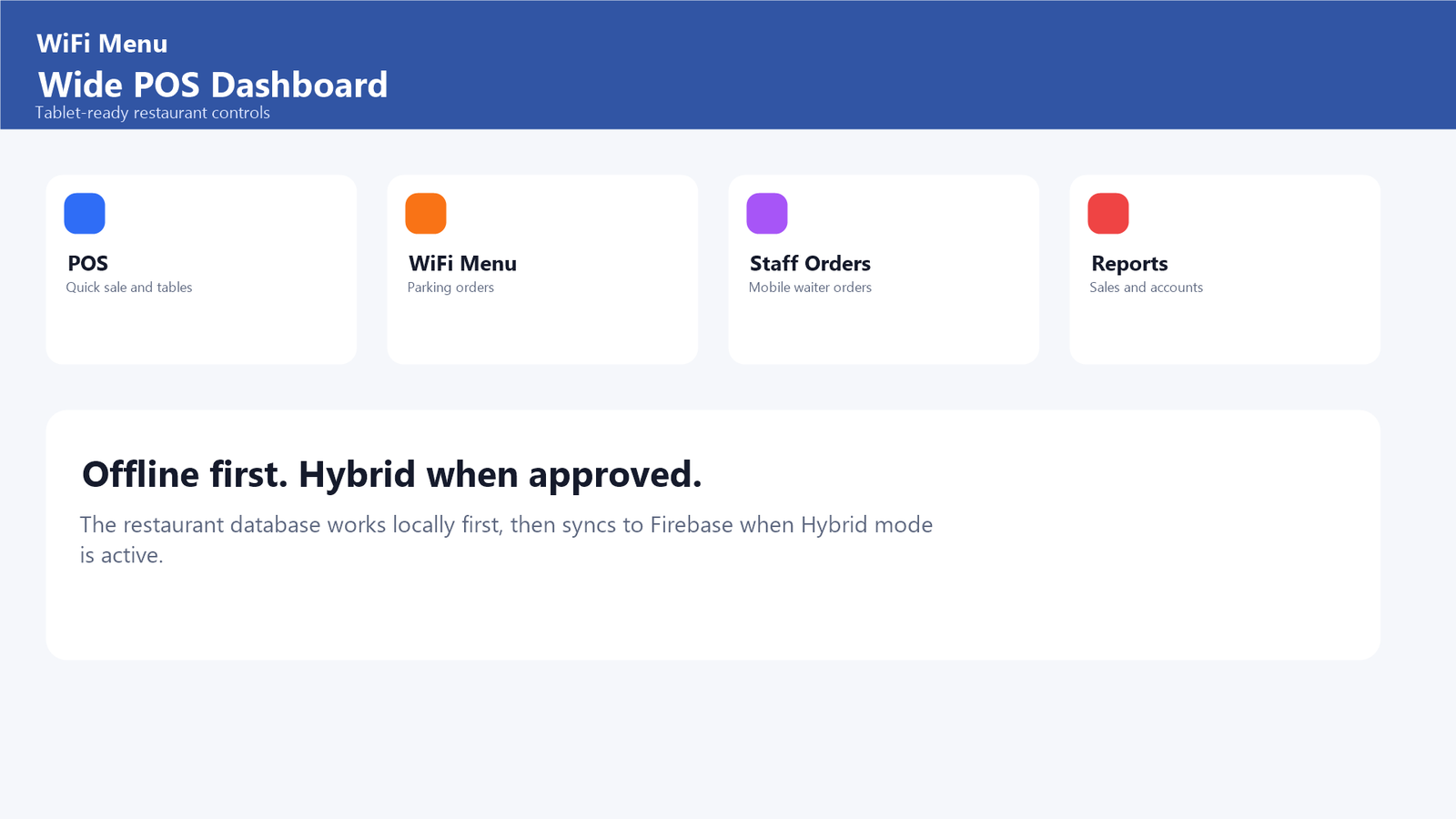
WiFi Menu POS dashboard on a tablet

Built to keep restaurants operating

Local-first storage keeps the POS available during internet interruptions. Hybrid cloud synchronization connects branches, mobile staff and the Web application when connectivity returns.

Offline local sales Cloud synchronization Database backups Branch isolation Mobile staff orders Kitchen workflow
Government e-invoice submission, NFC transaction processing and individual delivery-platform connections are prepared at the system level and are completed using the official provider credentials, SDKs and certification.
Restaurant registration

Start with WiFi Menu

Send one registration request. After approval, the restaurant receives its private Web App and WiFi Menu links.

Web App version 0.1.13+16

Run your restaurant with WiFi Menu

Available across desktop, mobile and Web, with free offline operation and hybrid cloud services.